
Why You Should, and How To, Use BCC in Emails
Email is so ordinary now that many people forget it is still a form of correspondence. Not a shout across a room, not a notice pinned to a board, but a message delivered directly into someone else’s private space. How you handle that matters.
One of the simplest, most overlooked tools for professional and respectful email use is BCC, Blind Carbon Copy.
Used properly, it protects privacy, reduces friction, and prevents entirely avoidable problems. Used badly, or ignored altogether, it can damage trust without you ever realising why.
What BCC Actually Is
BCC stands for Blind Carbon Copy. Anyone placed in the BCC field receives the email, but their address is hidden from all other recipients.
This is different from CC, where every recipient can see who else has been copied in.
Think of it this way.
– CC is a group conversation where everyone can see who is in the room.
– BCC is a series of individual letters delivered at the same time.
Why BCC Matters
Most people do not expect their email address to be shared with strangers. Even if the intention is harmless, exposing someone’s contact details without consent is poor practice.
Using BCC protects people from:
• Having their email address shared without permission
• Being pulled into ‘reply all‘ chains they never asked for
• Receiving follow up emails from people they do not know
• Having their address harvested, forwarded, or misused later
From a professional standpoint, failing to use BCC can look careless. From a legal standpoint, in some regions, it can even breach data protection expectations.
From a human standpoint, it simply feels rude.
When You Should Always Use BCC
You should use BCC whenever you are emailing multiple people who do not already know each other, or where there is no clear reason for them to see one another’s addresses.
Examples include:
• Newsletters or announcements
• Group updates to members or customers
• Invitations sent to a list
• Informational emails where replies are not required
• Any situation where privacy should be assumed
In these cases, your own address goes in the To field, and everyone else goes in BCC.
Yes, even if the list is small. Size does not change the principle.
When CC Is Appropriate
CC has its place. It is useful when transparency is required and expected.
Examples include:
• Work emails where all parties are collaborating
• Conversations where accountability matters
• Threads where everyone genuinely needs to see replies
If people are expected to reply to one another, CC makes sense. If they are not, it usually does not.
A good rule of thumb is simple.
If someone asks, “Why can these people see my email address?” then CC was probably the wrong choice.
Common Objections, and Why They Fall Flat
Some people say, “It’s easier to just put everyone in CC.”
Ease is not a justification for poor etiquette.
Others say, “Everyone does it.”
They do not. And even if they did, that would not make it good practice.
Occasionally someone says, “It’s not a big deal.”
It is not a big deal, until it is. Privacy violations rarely feel dramatic at the point they happen. The consequences come later.
How To Use BCC Correctly
It takes seconds.
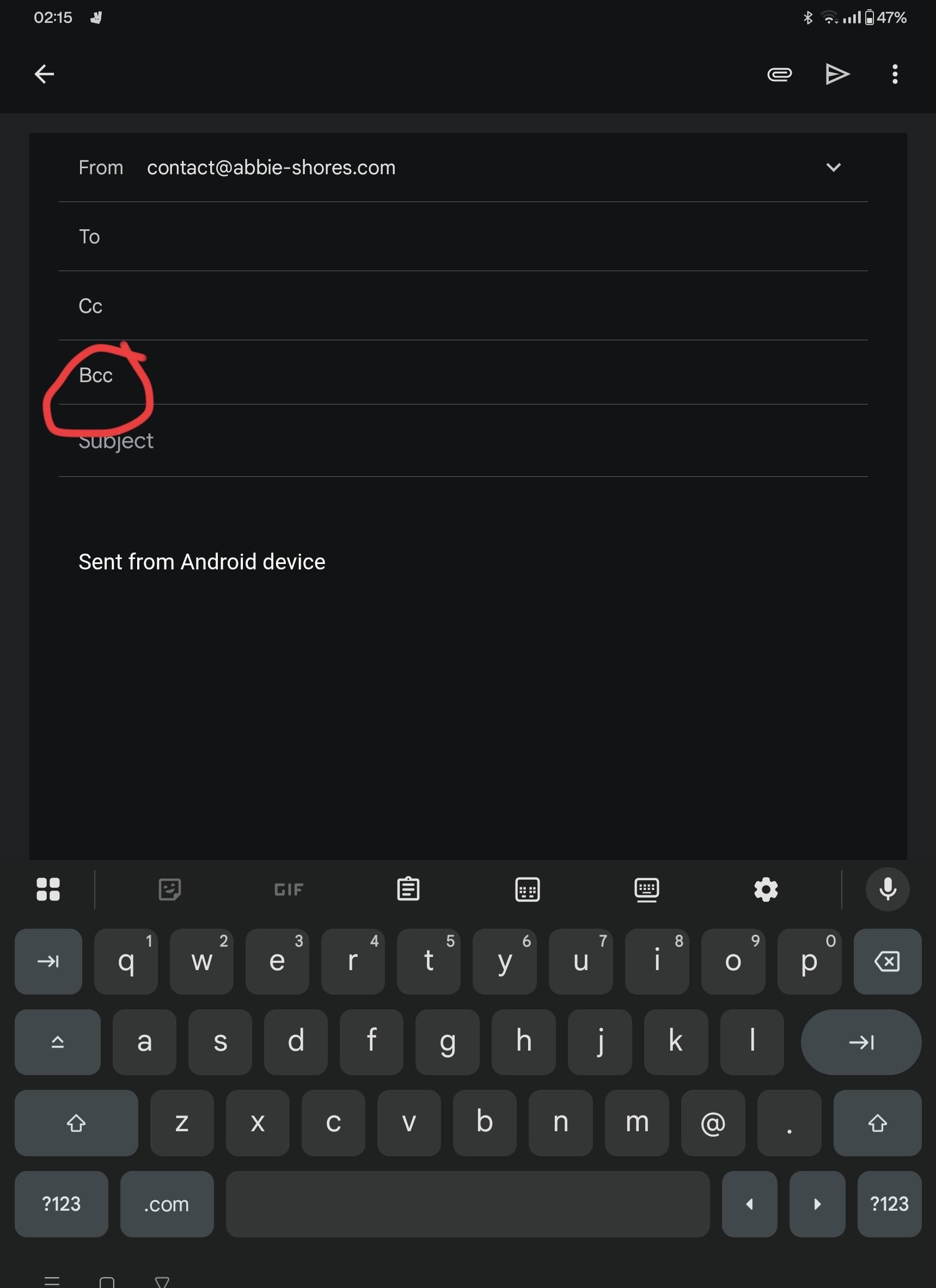
• Put your own email address in the To field.
• Add recipients to the BCC field.
• Write your message as normal.
That is it. No disclaimers needed. No explanations required. Quiet competence is enough.
Final Thought
Using BCC is not about being clever or technical. It is about being considerate.
It says, “I thought about your privacy.”
It says, “I respect your inbox.”
It says, “I know how to handle digital communication properly.”
Those small signals add up. And in professional, creative, and community spaces, they are noticed far more than people realise.


[…] Read the full post on the member blog → […]